Elfsight - Premium Widgets For Websites
  • Widget
  • Blog
  • Pusat Bantuan
  • Masuk
  • Daftar
Elfsight - Premium Widgets For Websites
  • Widget
    Sosial
    • Blog Baru
    • Komentar Baru
    • Umpan Facebook
    • Umpan Instagram Terlaris
    • Umpan LinkedIn Terlaris
    • Umpan Pinterest
    • Umpan RSS
    • Umpan Media Sosial Sedang tren
    • Ikon Media Sosial
    • Tombol Bagikan Sosial
    • Umpan TikTok
    • Umpan Tumblr
    • Umpan Twitter
    • VK Feed
    Video
    • Galeri Vimeo
    • Galeri YouTube
    Audio
    • Pemutar Audio Sedang tren
    • Musik Latar Sedang tren
    • Pemutar Podcast
    • Pemutar Radio
    Ulasan
    • Ulasan Airbnb
    • Ulasan Semua-dalam-Satu Terlaris
    • Ulasan App Store Apple
    • Ulasan Booking.com
    • Ulasan eBay
    • Ulasan Etsy
    • Ulasan Facebook
    • Ulasan Google Play
    • Ulasan Google Terlaris
    • Rekomendasi LinkedIn
    • Ulasan dari Amazon
    • Ulasan dari Tripadvisor
    • Geser Testimoni
    • Ulasan dari Yelp
    Obrolan
    • AI Chatbot Terlaris
    • Obrolan Semua-dalam-Satu
    • Obrolan Facebook
    • Obrolan Instagram
    • Obrolan Line
    • Obrolan Telegram
    • Obrolan Viber
    • Obrolan WhatsApp Terlaris
    Formulir
    • Pemesanan Janji Temu Baru
    • Kalkulator Baru
    • Formulir Kontak
    • Pembuat Formulir Terlaris
    • Jajak Pendapat Baru
    • Formulir Langganan
    E-niaga
    • Bilah Pengumuman
    • Bilah Pengumuman
    • Klik untuk Menelepon
    • Penghitung Waktu Mundur Terlaris
    • Tombol PayPal
    • Popup Terlaris
    • Tabel Harga
    • Notifikasi Penjualan
    • Roda Peruntungan Baru
    Alat
    • Aksesibilitas Baru
    • Verifikasi Usia
    • Tombol Kembali ke Atas
    • Geser Sebelum dan Sesudah
    • Jam Operasional
    • Tombol
    • Persetujuan Cookie
    • Kalender Acara Terlaris
    • FAQ
    • Sematkan Berkas
    • Buku Balik Baru
    • Google Maps
    • Papan Lowongan Kerja
    • Etalase Logo Terlaris
    • Penghitung Angka Sedang tren
    • Sematkan PDF
    • Galeri Foto
    • Portofolio
    • Kode QR
    • Menu Restoran Sedang tren
    • Slider
    • Stok Baru
    • Lokasi Toko Baru
    • Pameran Tim Sedang tren
    • Garis Waktu Baru
    • Penghitung Pengunjung
    • Cuaca
    • Penerjemah Situs Baru
    Cari widget yang tepat untuk Anda
    Anda bisa menggunakan widget kami untuk menyelesaikan hampir semua tugas di situs Anda—meningkatkan kepercayaan pengguna, meningkatkan konversi, mengajak pengunjung berinteraksi, memberikan dukungan, dll.
    Lihat Semua Widget
  • Blog
  • Pusat Bantuan
Log In Sign Up
Facebook Page Widgets
/
Form Builder
  • Overview
  • Demo
  • Features
  • How to install
  • Pricing
Create Widget
Create Widget

Form Builder for Facebook Business Page

Create online forms on your Facebook Page to collect leads, receive inquiries, and run surveys capturing valuable data faster and helping your business grow.
4.8 rating
10,000+ reviews
Free plan available
AI-Powered
Create Widget for Free
No credit card needed
Form Builder for Facebook Business Page
Trusted by over 3,000,000 small business, agencies and top global brands worldwide

Create your Form Builder widget

Configure your Form Builder and add it to your Facebook Page website for free!

Screenshots

Form Builder for Facebook Business Page
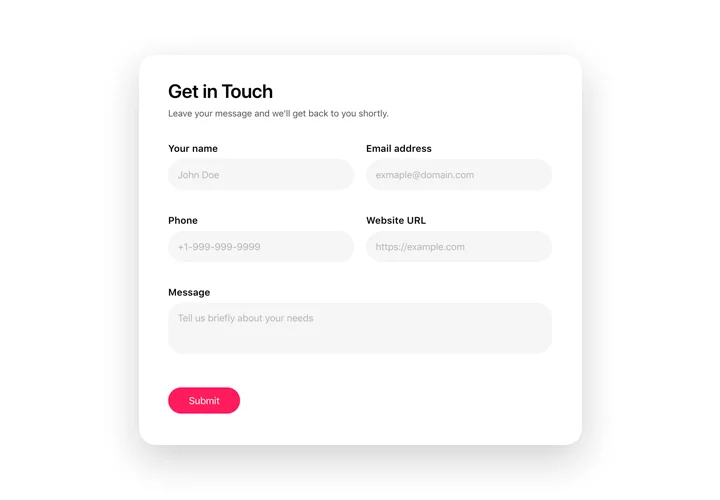
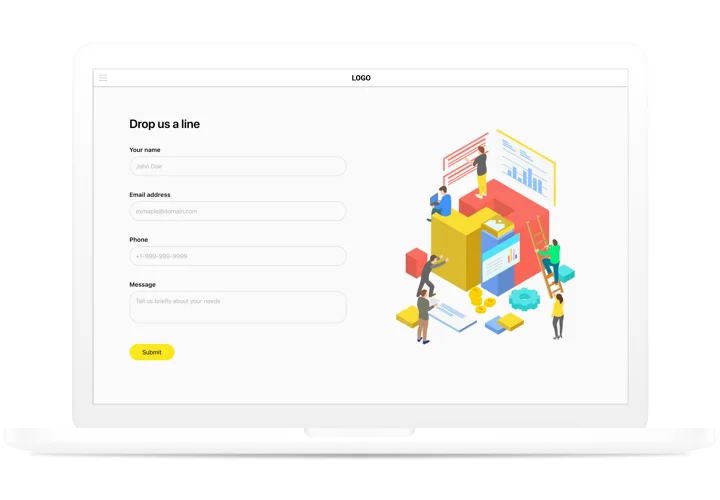
Create an inviting contact form with rounded style and compact fields grouping
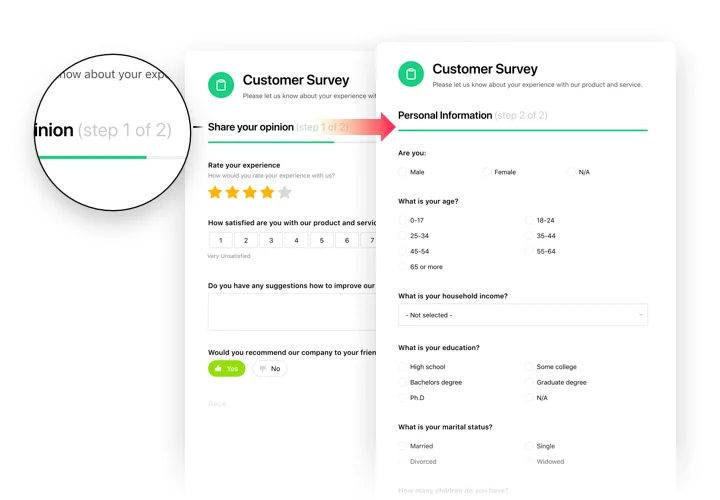
Make use of more than 20 diverse input elements and break them into manageable steps
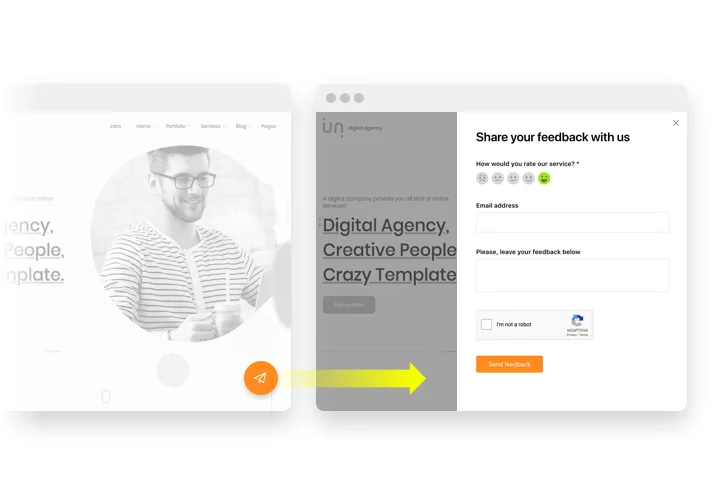
Add ratings and scales with comments fields to shape surveys and collect feedback
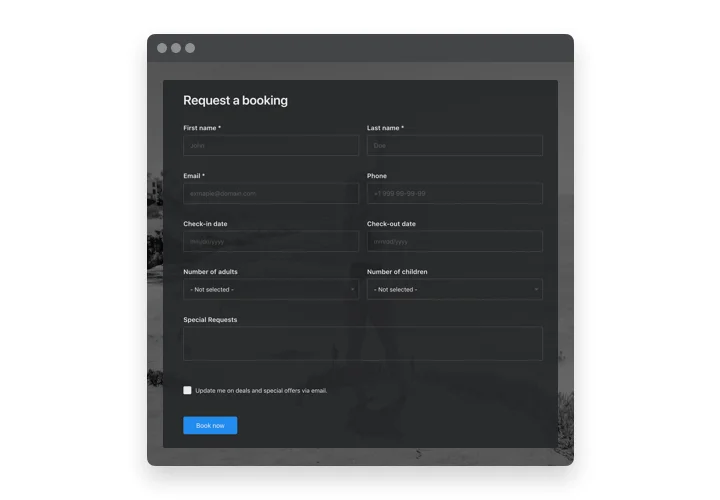
Arrange drop-down fields with placeholders and embedded calendars for easy and fast filling in
Enjoy a flexible interface with styles and custom colors to fit into any website concept
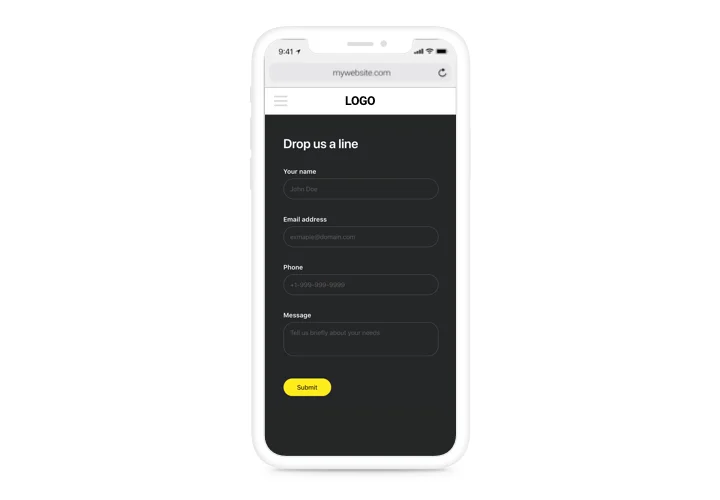
Allow your users smooth experience from any device
1 / 6

Custom form builder for Facebook Page

This is a multi-purpose tool to create manifold examples of filling forms and demonstrate them on any page. Get info from your current and probable audience with convenient surveys, feedback forms, rating requests and all other types. Set the form structure, place to create unique forms to receive data from your clientele, and even create a form in your Facebook Page. Whatever examples of info you may want to have: client opinions, ratings, orders and sales – our plugin will help you create a convenient filling form. With the help of flexible structure and a predefined items, your form will be handy for your clientele and powerful for you.

Process requesting and shopping by means of handy forms for fast and easy bying!

Features of Form builder plugin

This is a universal solution to create various types of filling forms and display them on your website. It may be helpful in increasing your leads and collecting data from your potential customers

  • Create Description for each element and it will be shown under the label;
  • Each field can be made for filling with asterisk (*) symbol to indicate this;
  • Choose the scenario after the form submission: Thank you message, redirect to another page, or form concealing;
  • Set any URL where a user will be redirected after the form filling;
  • 5 predefined styles for form fields.

Check how all the features work, in our demo

How to add Form to Facebook Business Page

Due to recent Facebook changes and the transition to the New Page Experience, usage is currently only possible through adding a direct link to the widget. We are actively searching for a solution and will update the Facebook page setup as soon as we find a way.

To insert the widget, follow the guidelines below

  • Build your custom Form Tab


    Using our free configurator, generate a widget with a preferable layout and functions.
  • Get the personal code to set up the widget


    After you have set your widget up, you will get your installation code from the appearing notification on Elfsight Apps. Copy it.
  • Add the Form to the Facebook page


    Create your custom Facebook Tab. Insert the code that you received at elfsight apps into the tab. If you have any issues, just check our guide on creating custom Facebook Tab
  • Done!


    Visit the business page, to see your form.

Feel free to communicate to Elfsight customer support in case you need assistance or having questions. We will be glad to assist with every request.

How to add Form Builder to my Facebook Page website without coding skills?

Elfsight provides a SaaS solution that lets you create a Form Builder widget yourself, see how easy the process is: Work directly in the online Editor to create a Form Builder widget you would like to see on your Facebook Page website. Pick one of the premade templates and adjust the Form Builder settings, add your content, change the layout and colors without any coding skills. Save the Form Builder and copy its installation code, that you can effortlessly include in your Facebook Page website with no need to buy a paid plan. With our intuitive Editor any internet user can create Form Builder widget online and easily embed it to their Facebook Page website. There’s no need to pay or enter your card credentials in order to access the service. If you face any issues at any step, please feel free to contact our technical support team.

Are there any custom Form Builder templates for the Facebook Page website?

Yes, absolutely! There are over 300 ready-to-use templates for any case, like Application Forms, Booking Forms, Order Forms, Product Forms, Questionnaires, Quizzes, Surveys, File Upload Forms, and many more. Feel free to test Form Builder templates and share your opinion with us.

Can I add multiple columns to the Facebook Page Form Generator?

Definitely. The online Form Builder supports flexible column options for your layout customization. So, this is how it works:

  1. Select a field in the widget configurator.
  2. Click “Edit.”
  3. Modify the width of the column within the options provided: Full, Half, One Third, and Custom.

Depending on how many you prefer to include, you may go for the standard setup or do the measurement in percentage yourself for the most suitable column quantity.

Can I use the Form Creator for free on my Facebook Page website?

Sure. Elfsight features five available subscription levels, among which is the Free option. It allows unrestricted customization and access to all functionalities. Kick-start using the free Form Builder plugin and experience the full potential right away!

Widget for Facebook Page
Price
from $0 / month
Charge-free installation service
Premium support
14-day refund guarantee
Lifetime free updates
Create Widget
User rating
Installs
1,000 – 5,000
Responsiveness
Best for mobile
Compatible Browsers
Safari, Edge, Opera, Firefox, Chrome
More platforms
Form Builder for Blogger
Form Builder for Wix
See All

Form Builder Template Catalog

Choose from our ready-to-use widget templates to use as is, or customize them to suit your style.
See All Templates
HTML Simple Order Form template
Simple Order Form
Create a simple form to collect product orders using the template for website.
Live Preview
HTML Customer Order Form template
Customer Order Form
Use our free template to organise a quick way for users to place orders online.
Live Preview
HTML Job Application Form template
Job Application Form
Create a form for collecting job application resumes using the template for website.
Live Preview
Show More Templates

Pricing

14-day money back guarantee. Risk-free, you can cancel at anytime.
Elfsight Apps
Cross-platform version that works on any website
from $0 / month
start with free plan
Unlimited websites
Premium support
Charge-free installation help
100% customizable
Amazing deal for multiple apps
Add to website

Widget

  • Ulasan Google
  • Umpan Instagram
  • Penghitung Waktu Mundur
  • Umpan LinkedIn
  • Obrolan WhatsApp
  • Popup
  • Kalender Acara
  • Kalkulator
  • Pemutar Audio
  • Pembuat Formulir
  • AI Chatbot
  • Lihat semua widget94

Platform

  • Squarespace
  • Wix
  • Webflow
  • WordPress
  • Elementor
  • Shopify
  • HTML
  • Google Sites
  • Weebly
  • BigCommerce
  • Joomla
  • Lihat semua platform111

Perusahaan

  • Hubungi Kami
  • Tentang Kami
  • Harga
  • Program Afiliasi
  • Pengembang

Komunitas

  • Forum
  • Facebook
  • Instagram
  • X
  • YouTube

Dukungan

  • Pusat Bantuan
  • Tanyakan ke Komunitas
  • Laporkan Pelanggaran

Sumber Daya

  • Pelacak Visibilitas AI
  • Solusi
  • Daftar Keinginan Fitur
  • Tutorial
  • Integrasi
  • Industri
  • Aplikasi yang Akan Datang

Blog

  • Cara Menambahkan AI Chatbot ke Situs Anda
  • Cara Menyematkan LinkedIn Feed di Situs WordPress?
  • Cara Menyematkan Formulir di Situs Mana Pun Secara Online dan Gratis
  • Cara Menyematkan Ulasan Google di Situs Anda Secara Gratis
  • Cara Menyematkan Umpan Instagram di Situs Anda Secara Gratis
  • Lihat semua posting
2026 © Elfsight
  • Syarat Layanan
  • Kebijakan Privasi
English
  • English
  • Deutsch
  • Español
  • Français
  • Italiano
  • Polski
  • Português
  • Русский
  • 日本語