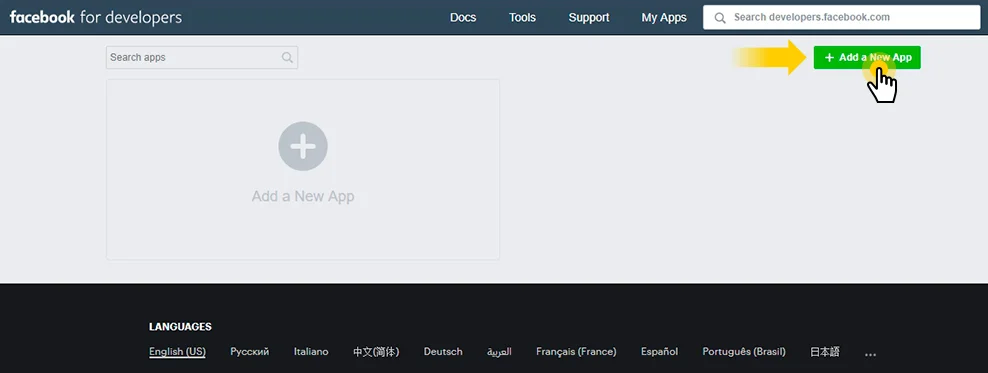
2. Create a new app ID
Enter Display name, Contact email and then press Create App ID button.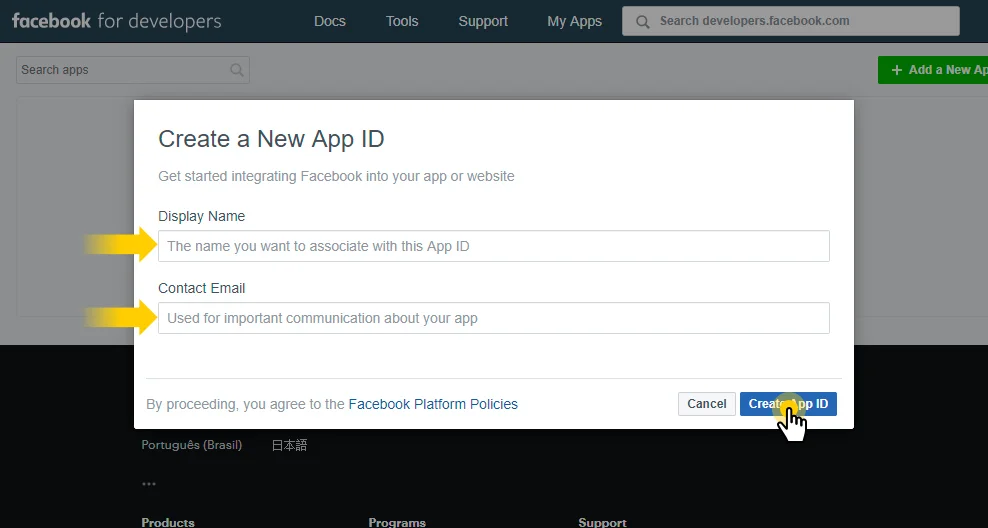
3. Choose your app in Graph API Explorer
Go to https://developers.facebook.com/tools/explorer and replace Graph API Expolrer with the app you’ve created.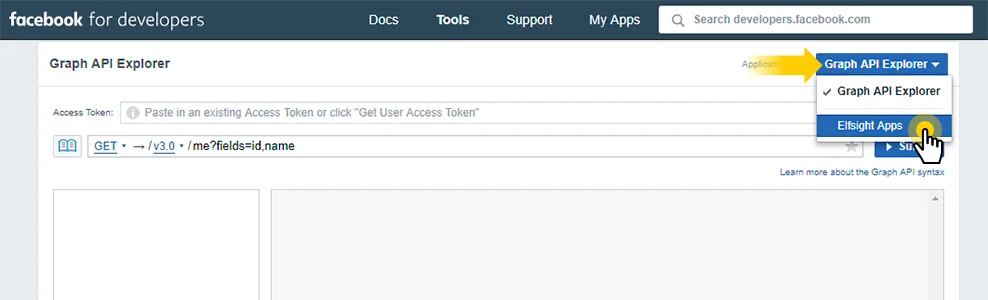
4. Get your User Access Token
Press Get Token and select Get User Access Token.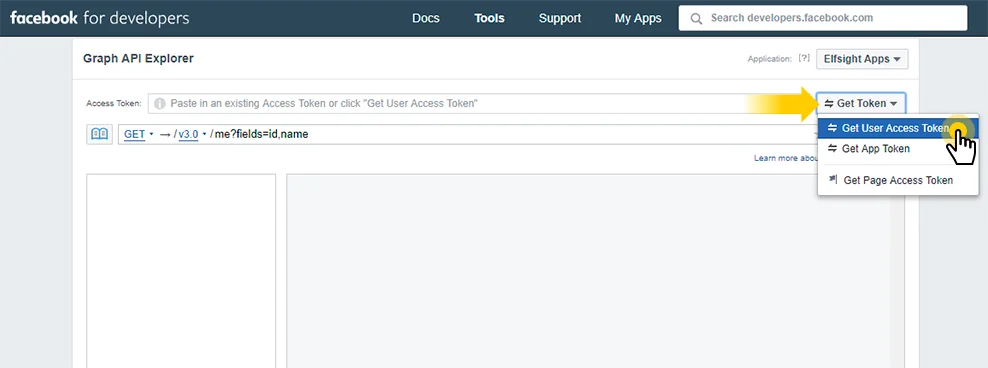
5. Select permissions for your Facebook Access Token
Check the required options on the popup window.To display your Facebook page on a website choose:
- manage_pages
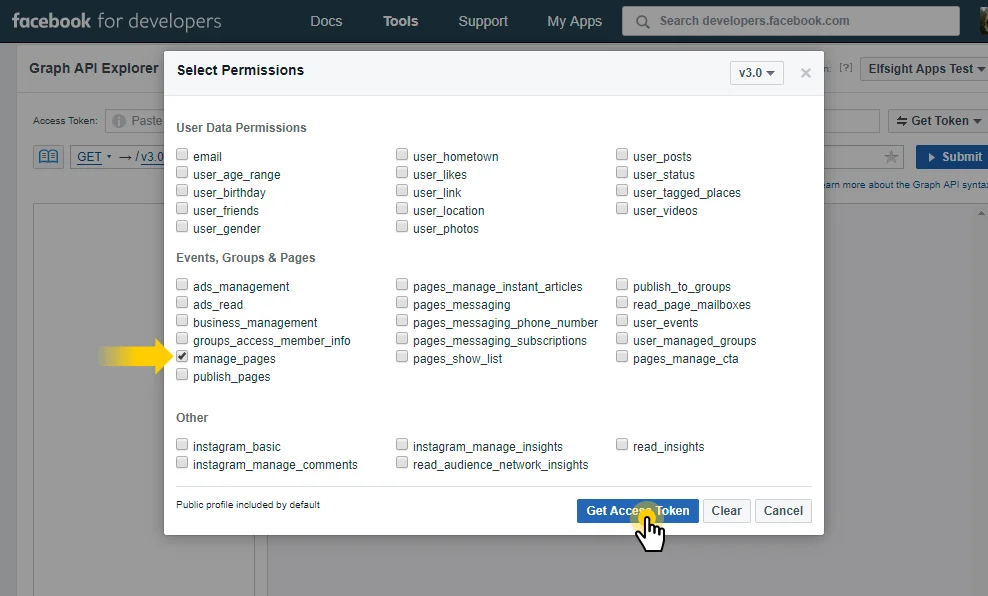
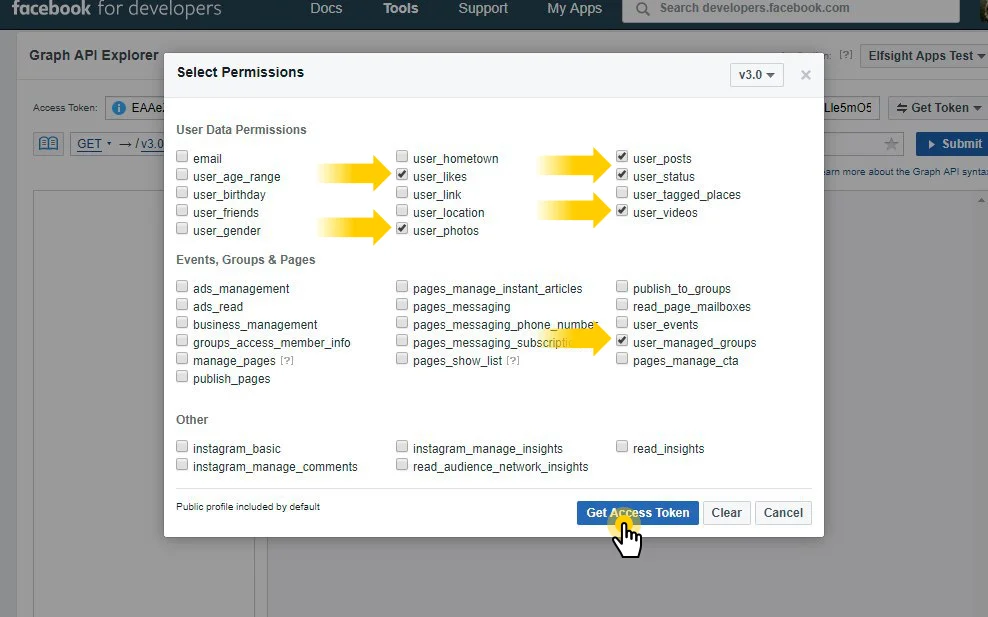
To display your Facebook profile on a website choose:
- user_likes
- user_photos
- user_posts
- user_status
- user_videos
- user_managed_groups
6. Open in Access Token Tool
Click Info icon next to the token and Open in «Access Token Tool» button.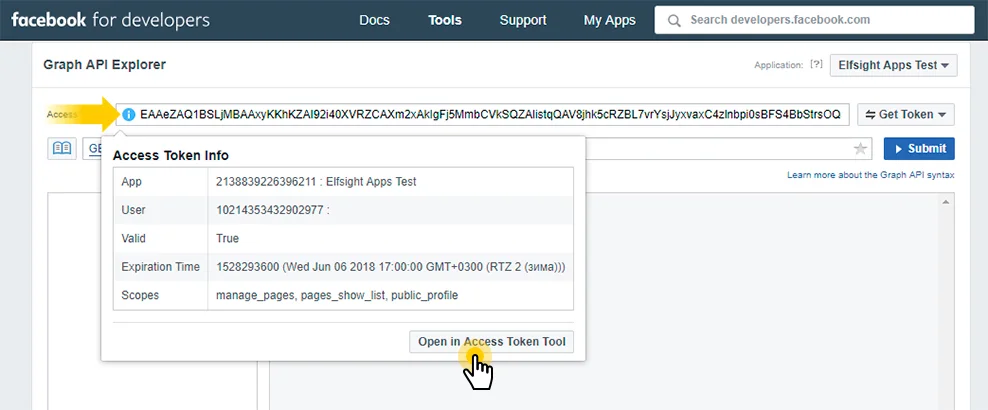
7. Extend Access Token
Press Extend Access Token.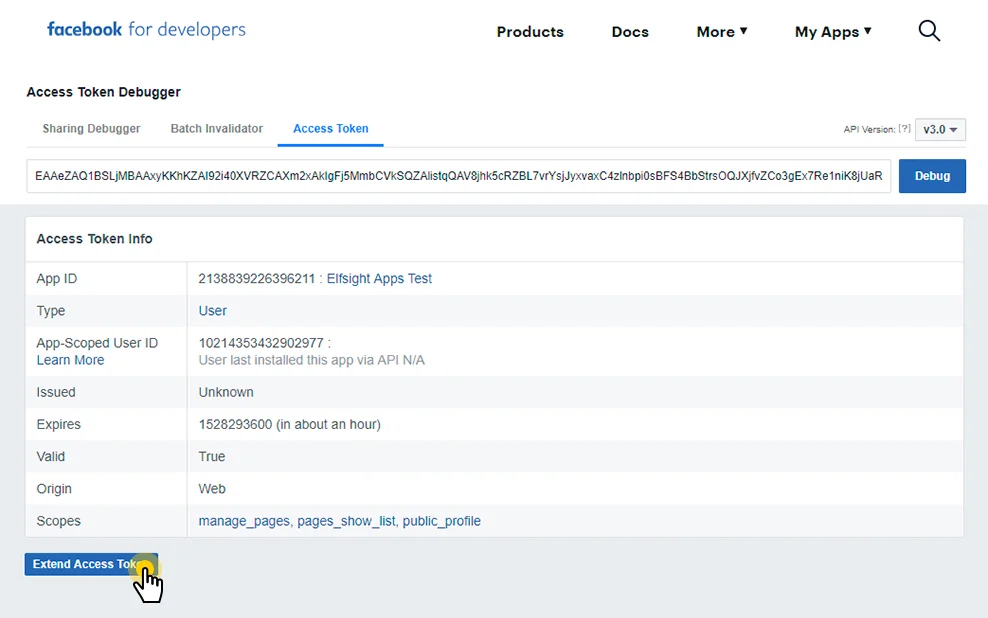
Important: Facebook Access Token is valid only for two months, so make sure you take all these steps again in two months, to get a new access token.
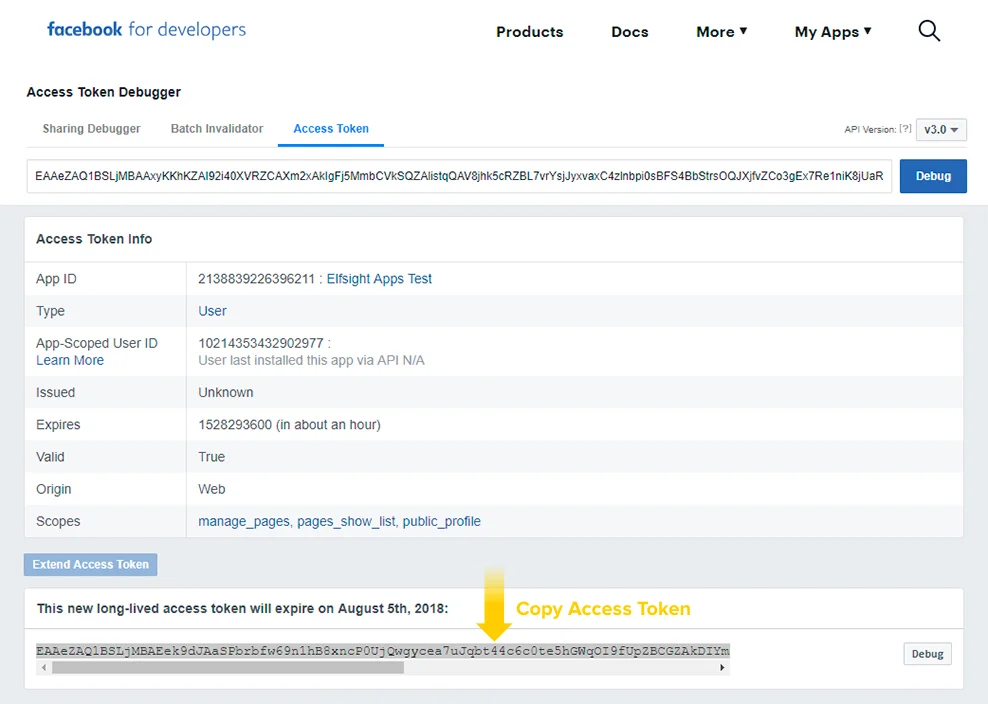
8. Copy your Facebook Access Token
Select the whole Access Token and copy it.